


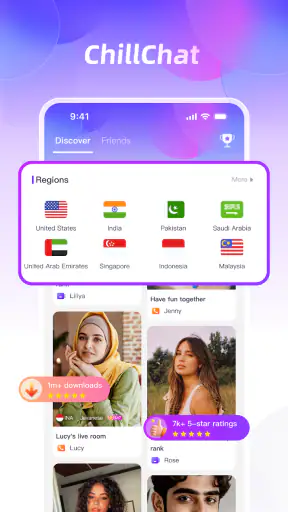


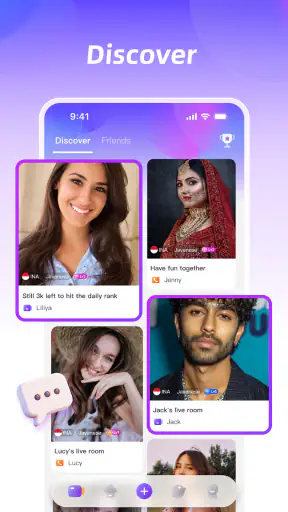


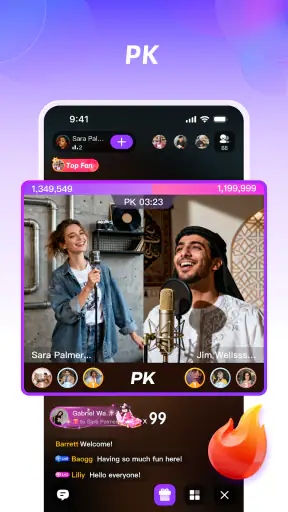
I approached ChillChat as a communication app rather than a conventional messenger. Its main idea is to bring group conversation and shared play into the same space, which makes the first session feel more social than simply opening another chat window. The store summary describes it as a place for game parties, group chat, and playing together, and that combination is important: the appeal depends less on sending messages quickly and more on giving a group a reason to stay together.
After using it, my impression is that it works best when I already have people to invite. It is not the kind of app I would install expecting the app itself to create a lasting community around me. Instead, it is a lightweight meeting place for friends who want conversation with an activity attached. That distinction matters when deciding whether it deserves a permanent place on your phone.
Why the first week feels more interesting than a normal chat app
The first-week appeal comes from reducing the awkward gap between “we should talk sometime” and actually spending time together. A regular group messenger is useful when everyone has something to say, but silence can arrive quickly after the initial greetings. ChillChat gives the group another possible focus, so the conversation does not have to carry the whole session.
I found that especially useful for casual plans. A group can gather without arranging a formal online event, and the app’s combination of group chat and shared games makes a short visit feel more purposeful. If you are waiting for friends, taking a break, or looking for a low-pressure way to reconnect, the format is easier to start than a long voice call or a competitive game that demands a serious time commitment.
The app is free to install, which lowers the barrier for trying it with a group. It includes in-app purchases ranging from less than a dollar to $149.99 per item, so I would not treat “free” as meaning that every possible part of the experience is without cost. My advice is to decide in advance whether you want to spend anything, particularly if younger people might use a shared device. The mature 17+ rating also makes it unsuitable as a general-purpose family chat without adult judgment.
ChillChat comes from Mangostar Team and was released on September 29, 2024. Its current version is 1.1.0, and it runs on Android 7.0 or later. Those details make it accessible to many older Android phones, although compatibility alone does not tell me whether it will feel equally comfortable on every screen size or device. I would check the app on the phone that will actually be used for group sessions rather than assuming an older handset will provide the same experience as a newer one.
A practical evening with friends
Imagine a group chat that has gone quiet during the week. Instead of writing another vague message asking who is free, one person can suggest a short ChillChat session. Friends join, exchange messages, and use the shared-play angle to fill the gaps. Nobody has to prepare a full tournament, choose a complicated title, or commit the entire evening. That is the most convincing everyday use case I see for it.
The same pattern can work for classmates, coworkers who already know one another, or relatives who want something more active than exchanging updates. I would keep the group small enough that messages remain readable and the session has a clear rhythm. In a large group, the social advantage can turn into noise, especially if several conversations happen at once.
My first useful tip is to give each session a simple purpose before opening the app: a quick break, a catch-up, or a shared game. Without that small plan, the group may spend more time deciding what to do than doing it. The app can create a meeting point, but it cannot replace the social habit of making a clear invitation.
Where it stands beside ordinary alternatives
Compared with a standard messaging app, ChillChat is more engaging when the problem is inactivity. Traditional messengers remain better for searchable conversations, formal coordination, one-to-one communication, and keeping important information in one place. I would not replace my main messenger with this app just because it adds play. Its strength is the social session, not being the universal archive for every conversation.
Compared with a dedicated online game, it is more approachable for friends who do not want a deep progression system or a demanding competitive environment. The trade-off is that a focused game will usually offer a richer experience for players who care about mastery, detailed matchmaking, or long-term goals. ChillChat makes more sense when talking is at least as important as winning.
It also differs from a video meeting tool. A meeting app is the better choice for presentations, work discussions, and situations where everyone needs to see or hear one speaker clearly. ChillChat is aimed at informal interaction. I would choose it for a relaxed group hangout, not for anything that depends on a formal agenda or reliable professional communication.
What remains useful after the novelty wears off
The harder question is not whether the app is enjoyable during the first few days. It is whether the group still has a reason to return after the novelty of combining chat and games fades. In my experience, recurring value depends on the people more than on the installation itself. If friends naturally use the app as a regular place to meet, it can become a handy social routine. If nobody initiates sessions, it quickly becomes another unused icon.
That makes ChillChat strongest for groups with an existing relationship and a shared pattern of free time. A weekly short session is more realistic than expecting everyone to be available spontaneously every day. The app benefits from repetition, but repetition needs a trigger. A fixed evening, a post-school break, or a casual weekend check-in can provide that trigger without turning the activity into an obligation.
My second practical tip is to rotate who starts the session. If one person always has to organize everything, the app may begin to feel like work. Taking turns keeps the social responsibility distributed and reveals whether the group genuinely wants to keep using it. If nobody volunteers after several attempts, that is useful information: the app may have been entertaining, but it has not become part of the group’s routine.
A third tip is to use it for short visits rather than forcing long ones. The shared-play concept is well suited to filling ten or twenty minutes, but a group can become tired if every meeting is stretched beyond its natural end. Ending while people are still enjoying themselves gives the next session a better chance. Long-term retention often comes from leaving room for anticipation, not maximizing every visit.
The app has a 4.1 average from around 27 thousand ratings, and it has passed 5 million installs. Those figures suggest that many people have tried it and that the overall reaction is positive, but they do not guarantee that it will fit every group. A social app can be well received in general and still fail for a particular circle if friends prefer another messenger, dislike casual games, or rarely share free time.
The maintenance burden is social, not just technical
When I think about maintenance, I do not only mean updates or storage. The bigger burden is keeping the group active. Someone has to invite people, decide when to meet, and prevent the chat from becoming a stream of disconnected messages. That is true of many social apps, but ChillChat makes it especially visible because its value depends on participation from several people at once.
I would also keep expectations modest around continuity. If you need a dependable record of appointments, addresses, work decisions, or family logistics, a conventional messenger is safer as the central tool. ChillChat can complement that arrangement, but I would not make it the only place where important details live. Social play and practical communication have different priorities, and combining them does not automatically make either one better.
Another maintenance point is spending control. Because purchases are available inside the app, I would review the purchase settings on the device and agree on boundaries before inviting a group. This is particularly important when the phone is shared or when teenagers are involved. The mature age classification is a clear signal that adults should think about suitability instead of treating the app as harmless entertainment for all ages.
For privacy and comfort, I would also establish basic group etiquette myself: do not add people who have not agreed to join, avoid sharing personal details casually, and leave the group if the tone becomes unpleasant. Those are not special tricks hidden in the interface; they are practical habits that matter more in a social environment than any individual game option.
What can create fatigue over time
The first source of fatigue is repetition. If the available group activity feels similar every time, the chat can lose its reason to exist. The solution is not necessarily to use the app more often. It may be better to alternate between a short shared-play session, ordinary conversation, and other activities outside the app. ChillChat should support a group’s social life, not become the entire social life.
The second source is uneven enthusiasm. One friend may want to play, another may only want to chat, and a third may join briefly before leaving. That mix can work, but only when nobody feels pressured to participate in exactly the same way. I would invite people with a clear description of the plan and let them drop in or out without making attendance a test of friendship.
The third is notification fatigue. A communication app can become irritating when every small interaction demands attention. I would be selective about alerts and avoid using the app for messages that require immediate action. If the group treats every notification as urgent, the convenience of a casual hangout turns into background pressure.
There is also a mismatch between the app’s relaxed identity and users who want advanced organization. If your priority is a large community, detailed moderation, extensive voice features, structured channels, or a deep competitive ladder, I would look toward a platform designed around that specific need. ChillChat is more appealing when simplicity and shared presence matter more than a large toolkit.
Who should install it, and who should skip it
I would recommend trying ChillChat if you have a small group of friends who already enjoy chatting and want a simple activity to make meetups less passive. It is also worth considering for people who find a full multiplayer game too demanding but still want something more engaging than text messages. The free entry makes experimentation easy, provided the age rating and possible purchases fit your situation.
I would skip it if you mainly need private one-to-one messaging, business communication, a reliable record of practical arrangements, or a serious gaming platform. I would also hesitate if my friends are unlikely to install and open another app. A social product cannot solve a participation problem by itself. If the group already has a comfortable routine elsewhere, moving everyone may create more friction than value.
People who are sensitive to mature-rated social spaces should take the 17+ classification seriously. Parents looking for a children’s chat or a family-friendly shared game should choose a service built and rated for that purpose instead. The fact that an app is easy to join does not make it appropriate for every audience.
My long-term verdict
After the first-week excitement, I see ChillChat as a useful companion rather than a replacement for established communication tools. Its lasting value comes from giving an existing group a repeatable reason to meet, especially in short, informal sessions. That is a real benefit, but it is conditional. Without a dependable group habit, the app has little to hold my attention once the initial curiosity disappears.
I like the balance between conversation and play, and I appreciate that it does not ask every user to approach the experience like a dedicated gamer. At the same time, I would not install it for a solo routine, important coordination, or a fully featured gaming community. The app is at its best when friends use it deliberately, keep sessions manageable, and treat it as one option among several.
My final recommendation is to test it with a specific group and a specific plan rather than downloading it alone and waiting for a reason to appear. If the first few sessions lead naturally to another meetup, ChillChat may earn a lasting place on your phone. If invitations go unanswered or the same activity becomes repetitive, uninstalling it is a sensible outcome. For me, its strongest promise is not endless novelty but a convenient way to turn an ordinary group chat into a shared moment when the people are already willing to show up.


